How it works
Everything Altypist does, in more detail. Choose a topic below.
Types into anything with a text cursor. A few of the places people use it:
Mail Spark Slack Messages Telegram WhatsApp Teams Word Pages Notes Notion Google Docs Safari Chrome Xcode VS Code Terminal iTerm2 and every other text fieldAny key you like. Even the Globe key.
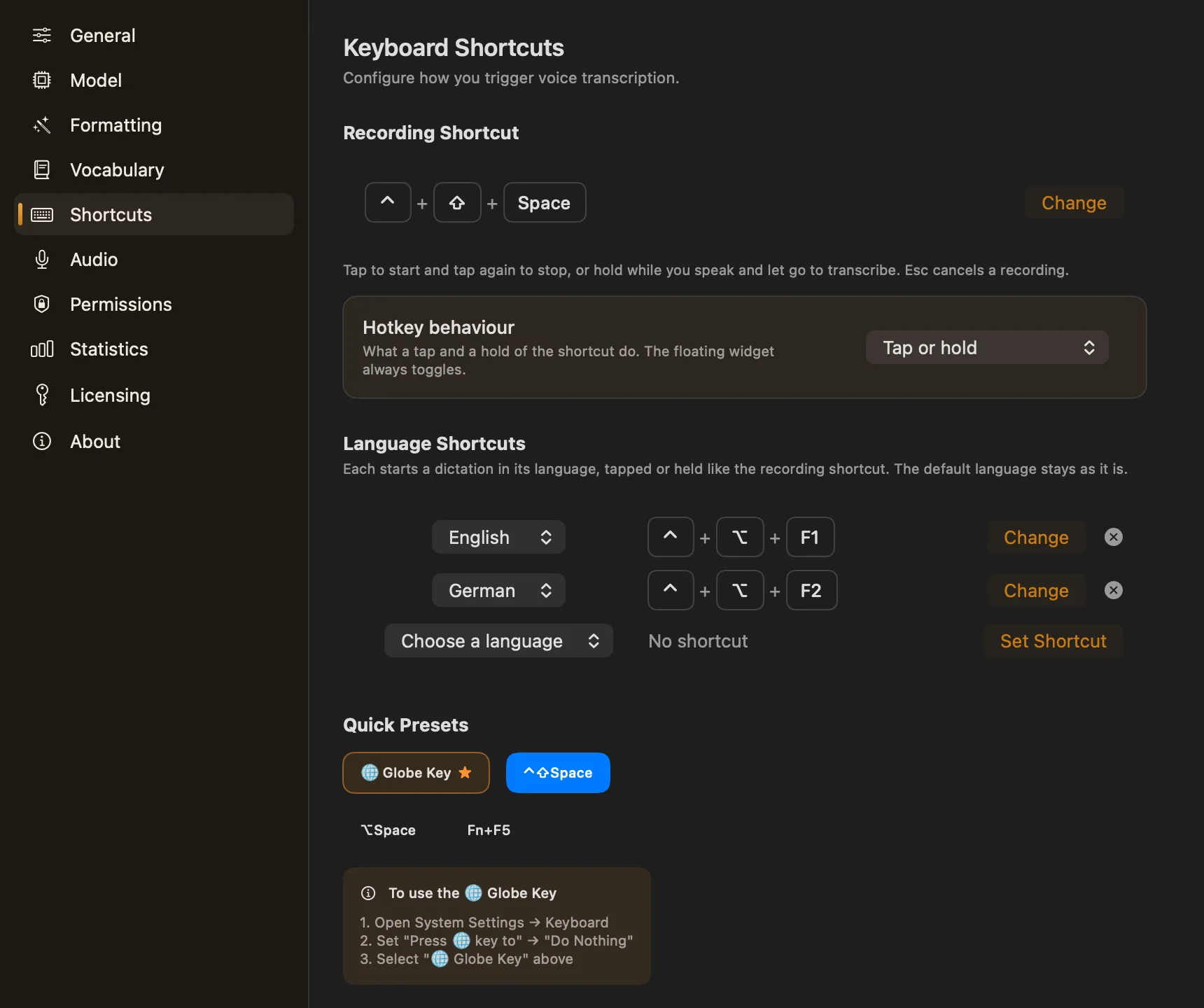
The default is ⌃⇧Space. One click switches to a preset, or record any combination you can press.
- Tap or hold by default: a hold of 0.4 s or more becomes push-to-talk
- Or strictly tap to start and stop, or strictly hold to talk
- Esc cancels a recording — and only while one is running
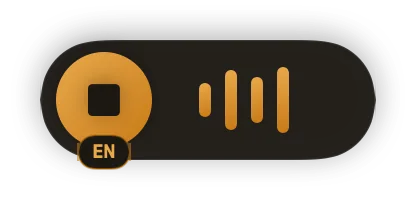
- The floating widget stays on top: click it to start and stop, drag it anywhere
Fifteen languages. Switch without opening a menu.
Tick the languages you actually speak and only those show up in the pickers. The widget wears the current one as a chip; click it to change.
Highlighted: an example set of favourites. A fresh install starts with your system language and Auto-detect.
Up to three language shortcuts
Each one dictates in its own language, then leaves your default exactly as it was.
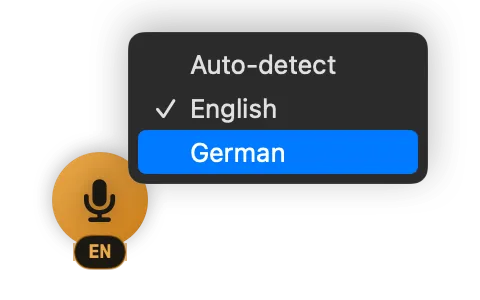
The chip on the widget, opened. The same choice sits in the menu bar panel.
You ramble. It comes out ready to send.
Recognition alone gives you punctuated text in one flowing paragraph. Turn formatting on and a second small model, also on your Mac, adds the paragraphs and lists, carries out spoken instructions, and lays the text out for the app you're typing into.
Off until you switch it on. It's an extra download — about 900 MB for the default model, 350 MB or 2 GB for the others. It never translates, gives the same result for the same words every time, and if its answer looks wrong you get your own words instead.
So on the case I need three things. Request the records, prepare the objection and call the client. New paragraph. Also ask Jane to chase the court by Friday.
Lists become lists, and nothing is added that you didn't say — no invented greeting or sign-off.
A tidy email, polite and neutral. No greeting or sign-off you didn't say.
- Apple Mail
- Spark
Chat
A short message in a natural tone, without stray paragraph breaks.
- Slack
- Messages
- Discord
- Telegram
- Teams
- Viber
- Messenger
- Zoom
Code
Hands off: fixes obvious typos only, so commands and identifiers arrive intact.
- Xcode
- VS Code
- Terminal
- iTerm2
Plain
Punctuation, capitals and paragraphs. Meaning and style left alone.
- Everything else
- Outlook
- Word
- Notion
- Google Docs
Every profile's instructions are editable, you can add your own, and any app can be mapped to any profile by its bundle ID.
Say what to do with it.
With formatting on, a spoken instruction at the end of a dictation is carried out instead of typed. Pick one:
Illustrative examples. Exact wording depends on the formatting model you choose.
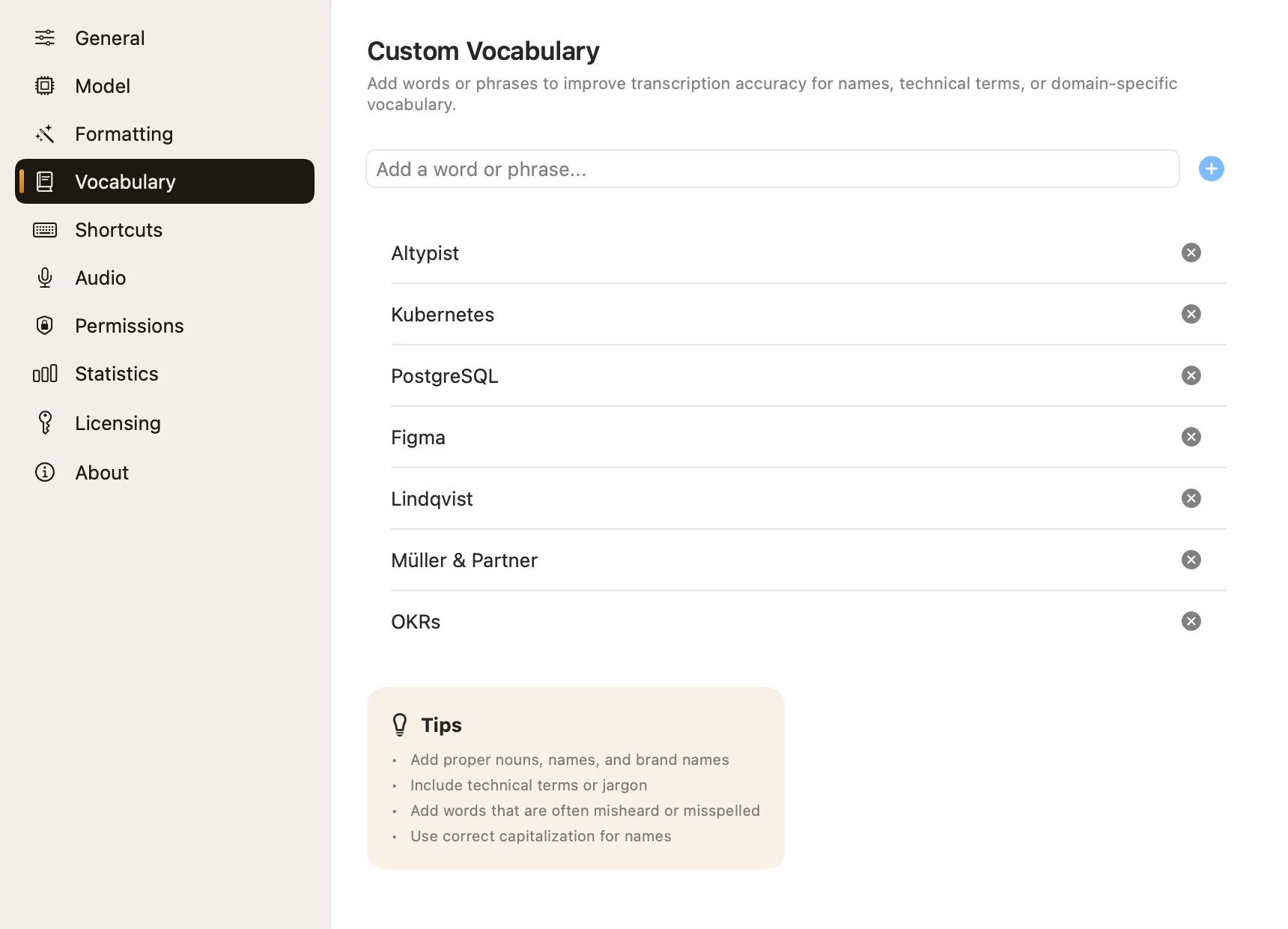
Teach it the names it keeps getting wrong.
Colleagues, clients, product names, the jargon of your field. Add them once and recognition expects them from then on.
- Write them with the capitals you want to see
- Stored on your Mac with the rest of your settings
The mic you want, heard properly.
Pick any input in Settings → Audio — a USB mic, a headset, the webcam — and watch the live meter to check it's hearing you.
- Quiet or far-off mic? Soft speech is lifted; room noise isn't
- The widget's meter adapts to your mic's own noise floor
- No signal for 1.5 s (3 s on Bluetooth)? It stops and tells you, instead of typing nothing
- Speakers muted while you record, so the mic doesn't pick up playback
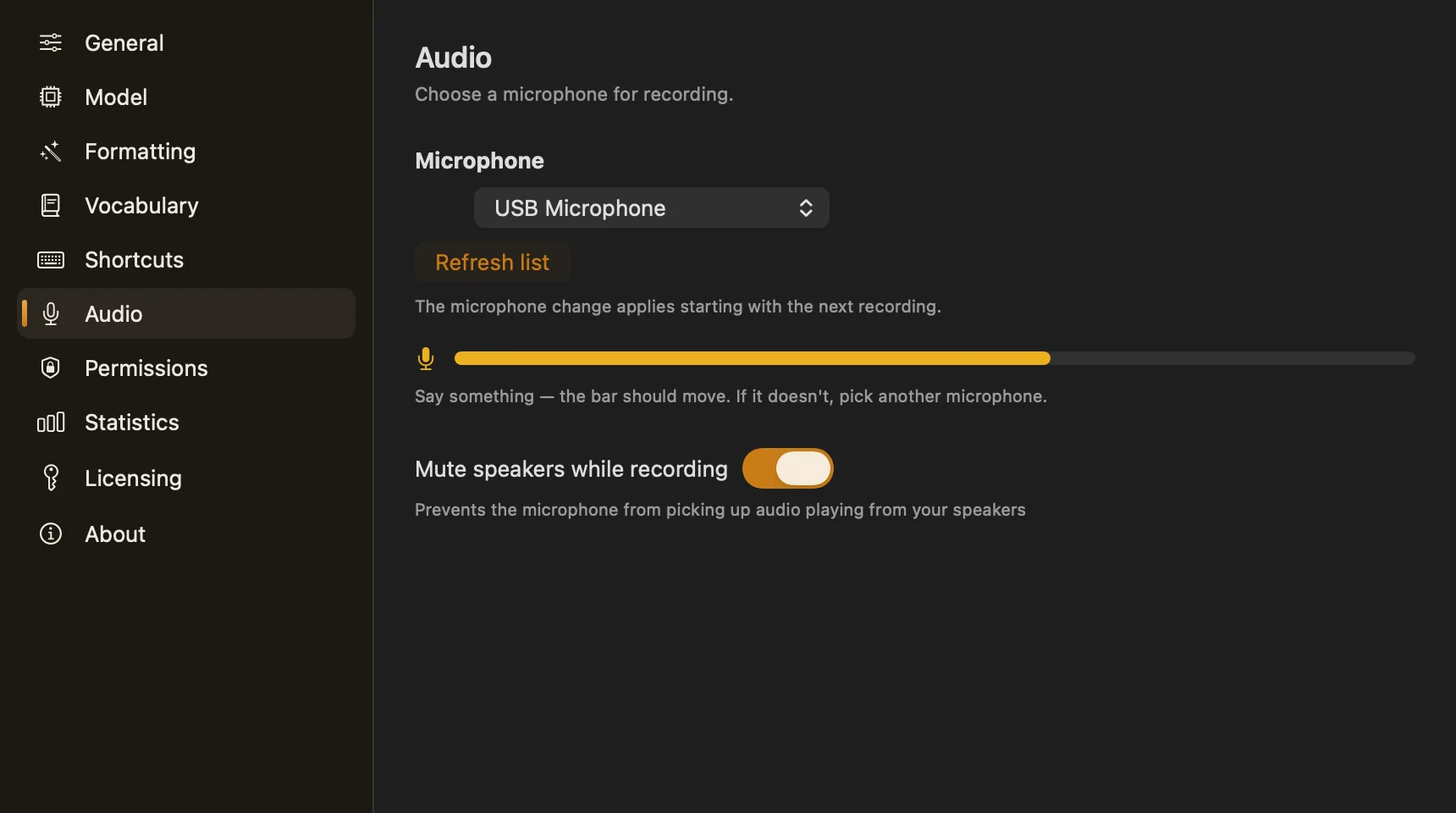
Illustration. The white mark is the room's noise level: speech above it is lifted, the noise stays where it was.
English text, with the Russian layout active.
When text goes in as keypresses — as it must in terminals — the layout in front decides which letter each key makes. Altypist asks the current layout what its keys produce, and sends anything the layout can't type as plain characters. Your words arrive as spoken, whichever layout is on.
What pressing US key positions would have typed:Ш куьщмув еру щдв вумшсу акщь еру фссщгтею
All at once, or sentence by sentence.
“After I finish” waits for the whole dictation and types it in one go. “While I speak, by sentence” types each sentence as soon as you pause, so you watch the text arrive.
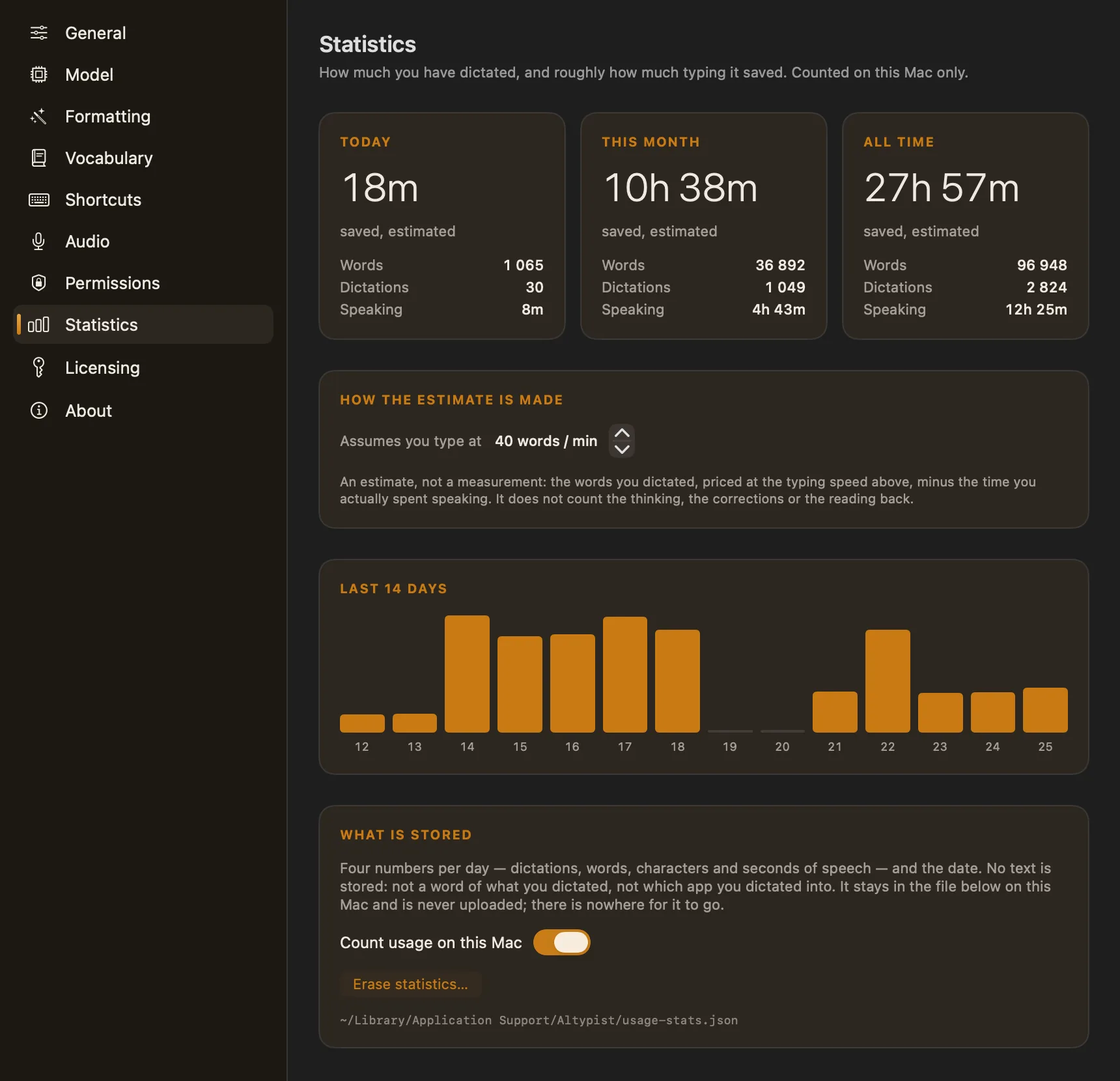
See the typing you didn't do.
Words, dictations and speaking time — today, this month and all time — with a 14-day chart and an estimate of the time saved against your own typing speed.
- Stores four numbers a day. No text, no app names
- Never leaves your Mac; switch it off or erase it any time
Typical rough figures for conversational speech and keyboard typing — yours will differ. 40 words a minute is also the app's default, and you can change it.
Screenshots, straight from the app.
Every picture here was rendered from Altypist itself. Use the arrow keys to step through them.
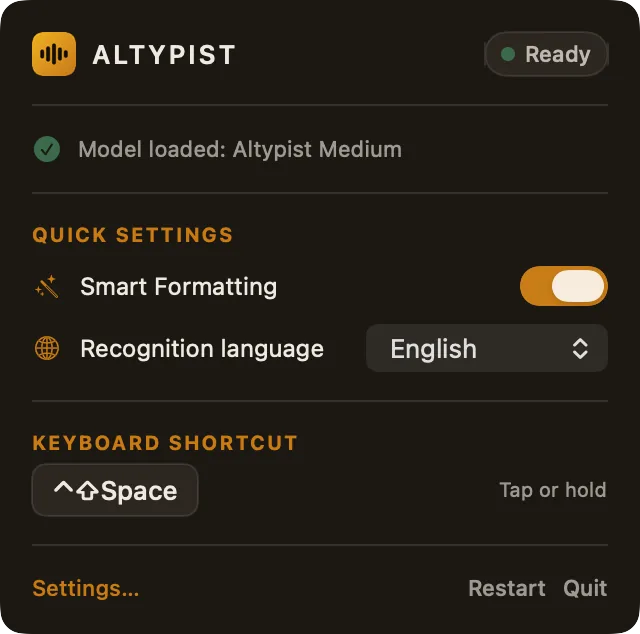
Menu bar panel
Status, the loaded model, quick switches for formatting and language, and your shortcut — one click from the menu bar.
1 / 13
Where your words go, and what you pay for it.
The popular alternatives, on the questions that decide whether you can use them for work you're responsible for.
| Question | Altypist | SuperWhisper | Wispr Flow | macOS Dictation |
|---|---|---|---|---|
| Where speech is processed | On your Mac | On-device voice models; its AI rewriting modes offer cloud models | Cloud processing | On your Mac for many languages, per Apple |
| How you pay | Once | Free tier, subscription or lifetime | Free tier, then subscription | Built into macOS |
| Price | Pro about $8–9 a month; lifetime plan offered | Pro $12 a month billed yearly, $15 monthly; free tier capped at 2,000 words a week | Free | |
| Account needed | No | — | — | — |
| Works offline | Yes, once the model is downloaded | Offline mode advertised | Not advertised | — |
| Languages | 15 + auto-detect | 100+ | 100+, with auto-detect | — |
| Formatting | Optional, on-device, per-app profiles | Styles and modes; top modes use cloud models | Automatic editing, per-app tone | — |
As of September 2026, from each product's public website. A dash means the site didn't say clearly enough for us to quote it. Names are their owners' trademarks; Altypist isn't affiliated with any of them. The longer comparison.